


How Anyplace Control works
Anyplace Control is a secure and very
easy to use
remote access software that allows you to
administer and
control distant computer securely,
virtually in real time as if you are physically in the front of it.
What can be performed with Anyplace Control
 |
Remote PC ControlAnyplace Control displays the desktop of a remote PC on your local screen and allows you to use your own mouse and keyboard to control that PC remotely. Read more... |
 |
File TransferAnyplace Control allows you to transfer files
between PCs. |
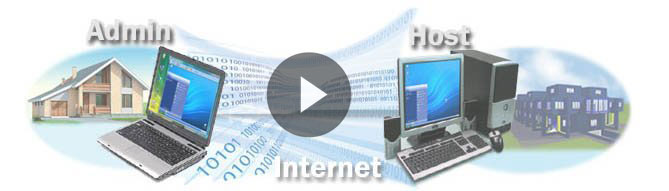
What and where to run
Anyplace Control consists of two modules:
Host Module - needs to be executed on a remote computer (i.e. PC you will control remotely).
Admin Module - run it on your local computer you use to control a remote PC (e.g. your notebook).
Usually installation is not required: you can download and run Anyplace Control in case of one-time remote access session.
Alternatively can install any module as a service for permanent use. Installed software will start with Windows automatically that is vital for accessing unattended server or a terminal.
Description of the installation process...
Installation - Step by Step video tutorial...
Methods of Connection
Connection between local and remote computers can be established in 3 ways:
Computer ID Connection:
|
Just enter your partner's ID and password to access your partner's computer. No need to create online account or have to deal with IP addresses. The easiest connection way! Read more... |
Online Account Connection:
|
The Host and the Admin computers will connect
over the Internet not directly, but via the Anyplace
Control account server. Read
more... |
IP-address Connection:
|
IP-address Connection mode enables you to connect to a remote computer using the IP address or a DNS name of the remote PC. Along with proper firewall or router configurations, it is desirable that a Host PC has a static external IP address.Read more... |
How to Access Remote PC or provide Remote Assistance: step-by-step...


