Remote Access Software - free Download
Trouble- free remote access software
|
"Anyplace Control" (windows remote access software) displays the desktop of remote PC at your local screen enabling to use your mouse and keyboard to control it remotely. There is no longer need to spend time to get to distant place to do the work only because all vital documents are stored at that computer. All you need is to start "Anyplace Control" and to perform the stuff you need.
A special "fast File Transfer" feature allows you to transfer files between the computers without any limitation. Our software has also additional features, such as "restart / shutdown PC remotely" , lock of remote input devices and so on. Anyplace Control includes the remote installation feature, which provides you with the facility to install and configure our software on multiple network computers without the need to visit each PC individually. Trouble- free Remote Access Software Free DOWNLOAD...>
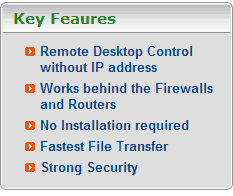
Installation Our web based remote access program consists of Admin module (used to access and control other PCs remotely) and Host module (which is started at a remote PC, the one you would like to access). Installation is not required: you can run portable version of Anyplace Control from our web-site. But if you prefer installation (for permanent use), you can download installation package as well. How to connect to remote computerMany network remote controlling programs (our competitors) face with the issue of dynamic or internal IP addresses when need to connect to distant PC over the Internet. "Anyplace Control" has solved this problem! Our Account Connection service allows you to access a computer remotely via Online Account without any IP address usage. This service (connection mode) differs our product greatly from other simple alternative applications. Anyplace Control is a very secure remote desktop software. Safe security algorithms are used in our remote software. All data transferred during remote control session or during file transfer is passed in encrypted way. No one can decrypt this data in case of data interception. Furthermore, a double password protection is used in our remote desktop software: an Account Password to enter a private account and an Access Password to connect a PC. Using Online Account Connection you don't have to open additional ports in the firewall, thus you don't create back doors in your security system. All our users (registered and trial) receive a professional support from our support team. Commonly a user gets a respond rather fast. All new comers to the site of Anyplace Control are welcomed to try the trial version of our easy and trouble- free remote support software and to assure themselves with the great performance of the program.
|